Press kit
Refreshot is not released yet. Everything here is accurate today, and more will be added at launch.
In one sentence
Refreshot is a Mac app that puts new screenshots into your finished App Store images and changes only the screen.
In a paragraph
Refreshot is for developers who already have finished App Store images and need them updated every release. It takes a finished image, measures the screen inside its device mock-up, and replaces only that with a new capture: one image at a time, or a whole release at once. It can make every language from one design, check the set against what the stores require, and run from the command line and CI. Everything happens on the Mac.
Facts
- Platform
- macOS 14 or later.
- Status
- Not released yet.
- Price
- Free, with a Pro tier as a yearly or a monthly subscription, or a one-time purchase. Prices: shown in the App Store.
- Privacy
- No account, no upload, no analytics in the app.
- Built with
- Swift, SwiftUI and AppKit, using only Apple frameworks.
Name and colour
The name is one word with one capital: Refreshot. The accent colour has a light and a dark value.
- #4A4DF0
- #A3A1FF
Images
The app icon:

The app at work on the store images of GapTracker, in the order of one release:
-
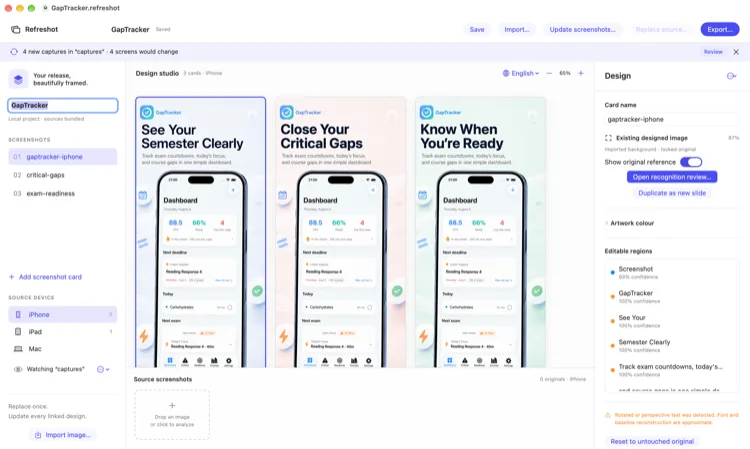
New captures arrive in the watched folder. -
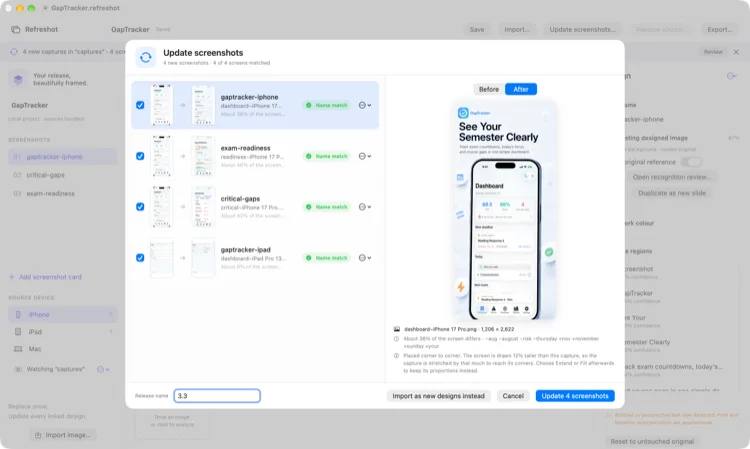
Each capture is matched to its design and reviewed. -
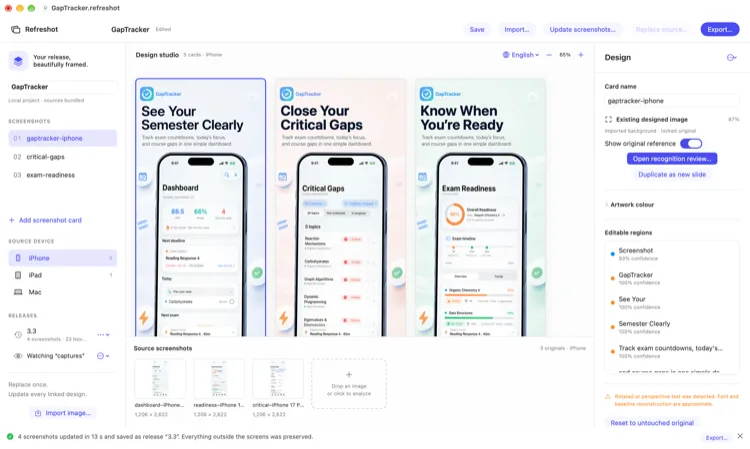
One click updates them all. -
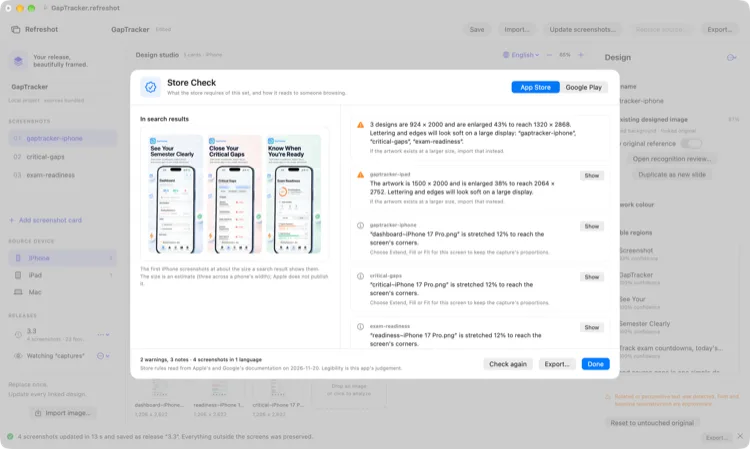
Store Check reviews the set before export.
Larger files: write to support@refreshot.com.